Jolt: making NativeScript move
Jolt is an animation library for NativeScript with interruptible springs, presets, sequences, layers, gestures, physics and animated gradients, handed off to Core Animation on iOS and ObjectAnimator on Android. Rafael Augusto shares how it came to be, how to use it, and how it works under the hood.
I've been having way too much fun building Jolt, my animation library for NativeScript. I've been spending a lot of my free time making little apps just to see how far I can take the ideas. Animated gradients, photo interactions, even a 3D car. Every time I see these things working, I want to build the next one.
So you can probably imagine how I felt when the NativeScript team invited me to write here. Having a project of my own on this blog has always been a dream. Now I get to share how I've been building it and, hopefully, get you excited about making something with it too.
Before we get into the code, let me show you what I've been working on:
Jolt and Motion Studio, recorded in an iOS simulator. The SceneKit scenes are iOS-only. Watch the video.
I want the first steps with Jolt to be simple. Once you have references to your views, you can start like this:
import { animate } from '@rafaelaugusto/jolt'

animate(card, 'fadeInUp')
animate(button, { scale: 1.1 }, 'bouncy')
animate(rows, 'fadeInUp', { stagger: 40 })
We'll play with that in a moment. First, I want to explain why building these things for NativeScript means so much to me.
This started well before Jolt
I discovered NativeScript around 2015, before I even knew about React Native, and fell in love with it. I come from native mobile development: Objective-C, Swift, Java, Kotlin. Being able to access the platform APIs meant a lot to me.
I've worked with React Native, Flutter and plenty of other technologies over the years, and I enjoy them too. But NativeScript has always had a special place in my heart. Given the choice, I still keep coming back to NS.
I had the opportunity to work on an app for a large insurance company here in Brazil, using NativeScript and Angular. Seeing a framework I love being used at a company that size made me so happy.
Outside of work, I was sharing that enthusiasm through articles, later in English too, and talks at meetups. This photo is from one of those talks:

Talking about NativeScript at a meetup.
After all that time using NativeScript and talking about it, getting my first PR merged into the core meant so much to me. It might look like a small thing from the outside, but I couldn't stop smiling. Being able to contribute to something you care about that much feels pretty incredible.
And I want more people to get excited about NS too. I've recommended it to quite a few friends, and some find parts of it verbose compared with the framework they use every day. I don't always agree (I'm probably a little biased haha), but I understand where that feeling comes from.
That's something I want to help with through Jolt. I want someone to see an interaction, open the code and think, “I'm putting that in my app.” The easier it is to try, the more people can discover what they can build with NativeScript.
Since I love animations, this was an area I really wanted to work on. NS already has animation APIs, including view.animate() and CSS keyframes. With Jolt, I wanted configurable springs, presets, gestures and sequences in an API that feels good to use, including when someone keeps tapping the same button before the animation finishes.
That last case is a good place to start.
A card and a button
Let's make a card move back and forth with a spring. I'm using 0.1.0-rc.4 for these examples:
npm install @rafaelaugusto/[email protected]
The library requires @nativescript/core 8.9 or later and includes native code. Rebuild the native app after installing or upgrading; a JavaScript-only update won't install the new classes. The installation guide tracks the available versions.
The core API takes NativeScript views, so you can use it with different frameworks. I'm using NativeScript-Vue 3 here, of course. In a configured project, this can be your root App.vue:
<script setup lang="ts">
import { ref } from 'nativescript-vue'
import { animate } from '@rafaelaugusto/jolt'

const card = ref()
let moved = false

function move() {
  moved = !moved

  animate(
    card.value,
    {
      x: moved ? 120 : 0,
      rotate: moved ? 8 : 0,
    },
    'bouncy',
  )
}
</script>

<template>
  <Frame>
    <Page>
      <ActionBar title="Hello, Jolt!" />

      <GridLayout rows="auto, *">
        <Button text="Move the card" margin="24" @tap="move" />

        <GridLayout
          ref="card"
          row="1"
          width="120"
          height="120"
          margin="24"
          borderRadius="24"
          backgroundColor="#7c3aed"
          horizontalAlignment="left"
          verticalAlignment="center"
        >
          <Label
            text="Hello!"
            color="white"
            textAlignment="center"
            verticalAlignment="center"
          />
        </GridLayout>
      </GridLayout>
    </Page>
  </Frame>
</template>
The button moves the card 120 device-independent pixels to the right and rotates it eight degrees. Tap again and it heads back.
Now tap again before it gets there. And again. That's the part I want you to try.
The new spring continues from the card's current position and inherits the previous movement's velocity. We only change the destination. If the card is still heading right when you tell it to go back, that motion is taken into account. I really like this behavior because the interaction keeps responding while the person decides what they want to do.
That's why I used a destination such as x: 120. Writing x: [0, 120] is valid too, but it explicitly asks to start at zero.
Jolt accepts the template ref's value directly. That now also works with Vue component refs, as long as the component has a native view at its root. You don't need to reach into $el yourself. The <Frame> is here because this is the root component; a page opened by a router would use the existing frame.
Playing with the spring
Once you've tried interrupting it, play with how the movement feels. smooth, snappy and bouncy are quick ways to do that. To tune the physical parameters, replace the call inside move() with this:
animate(
  card.value,
  { x: moved ? 120 : 0, rotate: moved ? 8 : 0 },
  { stiffness: 300, damping: 20, mass: 1 },
)
You can also use { bounce: 0.3, duration: 600 } as the last argument to configure it by bounce and duration. Try changing the values and keep tapping while it runs. The difference makes much more sense when you can feel the card responding.
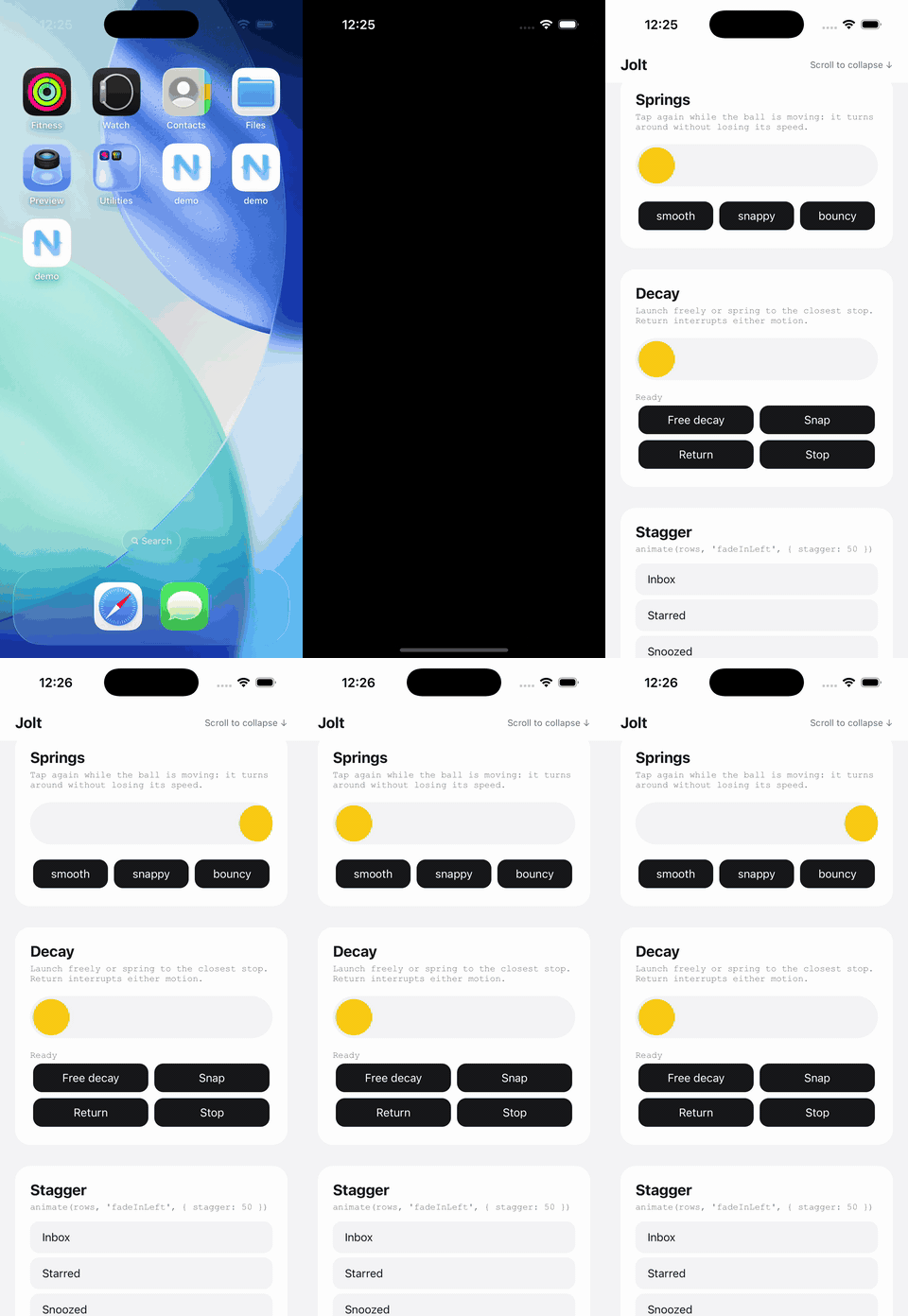
The springs guide covers the options. A regular tween is also available when that fits better.
Bringing the rest of the screen into it
Once one view is moving, it's tempting to get the others involved. In this screen entrance, the logo appears, the text follows, and the buttons start a little before the text finishes:
import { sequence } from '@rafaelaugusto/jolt'

await sequence([
  [logo, 'popIn'],
  [[title, subtitle], 'fadeInUp', { stagger: 80 }],
  [buttons, 'fadeIn', { at: '-150' }],
])
The names here are references to your screen's views. stagger spaces out their entrances, and at: '-150' starts the last step 150 milliseconds before the previous step's expected arrival. With springs, that arrival can happen before the motion has completely settled, avoiding an awkward pause between steps.
And once the screen is moving, a tap might call for another animation on the same view. If I want the card to shake while it keeps heading right, I can give that feedback its own layer:
animate(card.value, { x: 120 }, 'snappy')
animate(card.value, 'shake', { layer: 'feedback' })
The layer adds the shake to the movement already happening. Without it, a new animation of x would take over that property.
The screen's entrance animation can keep playing while a component responds to a tap. If the next step needs to wait, await animate() returns true when the animation finishes normally and false when it's stopped or replaced. You can also bring some of this into the template with v-animate, v-press and JoltTransition from the Vue integration.
The apps are where it gets fun
So far, we've worked with just a few views. Add navigation, gestures and other interactions happening together, and there's a lot more to try.
I brought these experiments together in Motion Studio, an app built with NativeScript-Vue. You can open a demo, play with the interaction and go back to try another. Navigation uses vue-router-ns, another project of mine, so I'm constantly putting both libraries to work together.
In my 2019 article about code sharing, I wrote about wishing the experimental Vue Router integration had gone further. Now I'm using my own router to navigate the demo for my animation library. Man, seeing these things come together feels so good.
Gradients were one of the ideas that came out of playing with Jolt. NativeScript's CSS supports static linear gradients, and I wanted to animate radial and conic gradients as well. So I added gradient(), with native rendering and animation of colors, stops and each type's properties, such as angle, center and radius. Then, of course, I went and built more demos to play with it.
And springs get even more fun when you can pull things around with your finger. In the demo below, a spring pulls the circle toward your touch. It lags a little, bumps into the others and keeps reacting to gravity. Let go, and it carries on with the velocity it picked up in the simulation:
Spring dragging in the iOS simulator. Watch the Android version, recorded in the emulator.
That behavior comes from drag: { type: 'spring' }, an option for circle bodies in physicsWorld(). The guide has the full example, including the container and body setup.
Being able to change your mind during a gesture matters in everyday interactions too. With interactiveModal(), a custom full-window modal on iOS follows a downward drag and can finish closing with a spring. If you change your mind halfway through the gesture, it returns while keeping the same component instance. It's the same concern we had with the card: letting the person keep interacting while things move.
Alongside Motion Studio, I also used Jolt in the Tesla-inspired example, with a more complete interface and the 3D car from the introduction. There, the optional @rafaelaugusto/jolt-native package animates SceneKit properties on iOS. Those SceneKit adapters are specific to that platform; if you try them, install matching versions of both packages and rebuild the app.
Trying out apps like these led to a nice surprise. One of the apps I built with NativeScript was something I'd already made in React Native with Reanimated. On the same computer and simulator, the NS version felt smoother in my initial tests. I was really excited about that, but I still want to measure both implementations properly, especially on real devices.
A few people have asked whether the goal is to make Jolt better than Reanimated. I started this because I love NativeScript and wanted to build more things for it. But I'm enjoying how it's turning out so much that I've started joking about picking a fight with Reanimated 😂
How does Jolt do this?
One of the things I enjoy most about this work is using native APIs to build these interactions. Let's go back to the card, because it's a good way to understand what's happening.
The destination is already known. Jolt calculates the curve in JavaScript at the start, samples the movement into keyframes and hands them to the platform: CAKeyframeAnimation through Core Animation on iOS, and ObjectAnimator on Android.
JavaScript doesn't need to calculate the card's position every frame after that. Sampling is adaptive for numeric curves: more points go where the curve needs them, and the platform interpolates between those points. That sample count is separate from the display's refresh rate.
To handle that second tap, Jolt also keeps track of each property's curve and timing. When another animation takes over, it can preserve position and velocity. That's what lets us change the destination without making the card start from zero.
The interaction determines what work is needed. A live spring, whose target keeps changing, maintains native state in C or Java. animateSize() changes real dimensions, allowing text to reflow. That requires JavaScript measurement and layout work each frame.
Where that work runs matters too. On Android, ObjectAnimator shares the UI thread with the app's main JavaScript. A long synchronous task can still hold up the animation. On iOS, tracks already submitted to Core Animation can keep playing while input and callbacks wait for the main thread. Live springs, gestures and the native composer use the UI thread on both platforms.
The engine guide goes into the details, and the Busy JavaScript experiment helps show the difference. For heavy CPU work, NativeScript Workers are still useful.
Then comes measuring and improving it
Handing an animation to the platform has a cost too. Before anything appears, the keyframes need to be prepared and submitted. As the number of views and combinations grows, that work becomes more noticeable. It's one of the areas the recent Jolt releases have improved.
On Android, building numeric keyframes used to cross between JavaScript and Java for every keyframe. I changed that so they're constructed in one Java call per property track.
On a physical ASUS Z017DC running Android 8, warm median preparation time fell from 3,127 to 386 milliseconds in a composition workload with 64 views. That's the time to prepare that particular scenario. The measurements and test limits are in the PR.
That kind of improvement gets me excited because the animation call in the app stays the same, while the work needed to put it on screen goes down. There was still another part to fix, though: certain long compositions had to be recalculated and submitted again during playback, in four-second windows.
In RC.4, those combinations moved to a native composer, removing the periodic submissions for the cases it handles. Those include finite compositions longer than four seconds and combined loops that don't share a short repeat cycle.
That path does native work every frame. In the heavy iPhone workloads, it increased ongoing CPU use while removing those periodic rebuilds. That's why I keep measuring both what a change solves and what it costs; the results and their limits are published alongside the code.
The same care applies to the smaller interactions. If a button responds to a tap while it's entering, releasing it needs to work properly too. If you can pause a gradient, pressing play should pick up where it left off. Those cases became fixes in the RCs, and physical-device tests now also cover the onset of gesture response and releasing views after repeatedly creating, animating and removing them.
I'm proud of what I've managed to build, but my demos only cover some of the possible uses. I really want to see what happens when more people start experimenting.
Now I want to see what you build
Jolt is still a release candidate, with work ahead before the stable release. It's open source under the MIT license, and the status page tracks the limits and what still needs validation.
To get started, the documentation brings together the examples and recordings. It's available in English, Brazilian Portuguese, Spanish and Simplified Chinese. Having all of this in Portuguese is another way to help more people try it, and that matters a lot to me. 🇧🇷
If you use Jolt in an app, show me what you made. I want to hear what felt good and what took more work than it should. If something breaks or feels awkward, open an issue. Those experiences will help me decide where to put the next bit of effort.
And that idea of sharing code, which I wrote about back in 2019, still interests me. One thing I'm exploring is bringing Jolt animations to the web too, for projects that share code with NativeScript. It's still exploratory, and I'll keep sharing what I find through the issues.
That's one direction I want to explore with Jolt, but there's more I want to build for this community beyond it and vue-router-ns. Other things are on the way, and I'm really excited to share them as they become ready for you to use.
Thank you to the NativeScript team for inviting me and giving me a place to share this work. I hope you have as much fun creating with Jolt as I've been having building it. ❤️